 amberline
Why Spreadsheets Fail at Certificate Tracking
Every small business starts the same way: someone creates a spreadsheet to track certificate expiry dates. It works for a while. Then it doesn't.
Here's why spreadsheets fail at certificate tracking — and what actually works.
Problem 1: Nobody updates them
The biggest issue with spreadsheet tracking isn't the spreadsheet itself — it's that nobody remembers to check it. A spreadsheet is passive. It sits there quietly while certificates expire around it.
You need something that comes to you — not something you have to remember to go to.
Problem 2: No automatic reminders
A spreadsheet can't send you an email 90 days before a Gas Safe certificate expires. You have to manually check dates, calculate deadlines, and set calendar reminders yourself.
That's fine for 3 certificates. It falls apart at 15. It's a nightmare at 50.
Problem 3: Shared access is messy
When multiple people need to update the same spreadsheet, you get version conflicts, accidentally deleted rows, and the constant question: "is this the latest version?"
Google Sheets helps, but you still don't get reminders, status tracking, or any kind of dashboard.
Problem 4: No status visibility
A spreadsheet shows you dates. What it doesn't show you — at a glance — is which certificates need attention right now. You have to scan every row, do mental arithmetic on dates, and figure out what's urgent.
A proper tracking system gives you red/amber/green status instantly. Expired certificates jump to the top. Expiring ones are flagged. Valid ones fade into the background.
Problem 5: It doesn't scale
One person with 5 certificates can manage a spreadsheet. A construction firm with 30 operatives, each holding 3–4 cards? That's 120 expiry dates to track. A landlord with 15 properties? That's CP12s, EICRs, EPCs, HMO licences — potentially 60+ certificates.
At that point, a spreadsheet isn't saving you time. It's costing you time.
What actually works
You need three things that a spreadsheet can't give you:
1. Automatic reminders — emails sent at the right time, without you lifting a finger.
Amberline's Due Soon view shows exactly what's coming up, grouped by urgency. No mental arithmetic required.
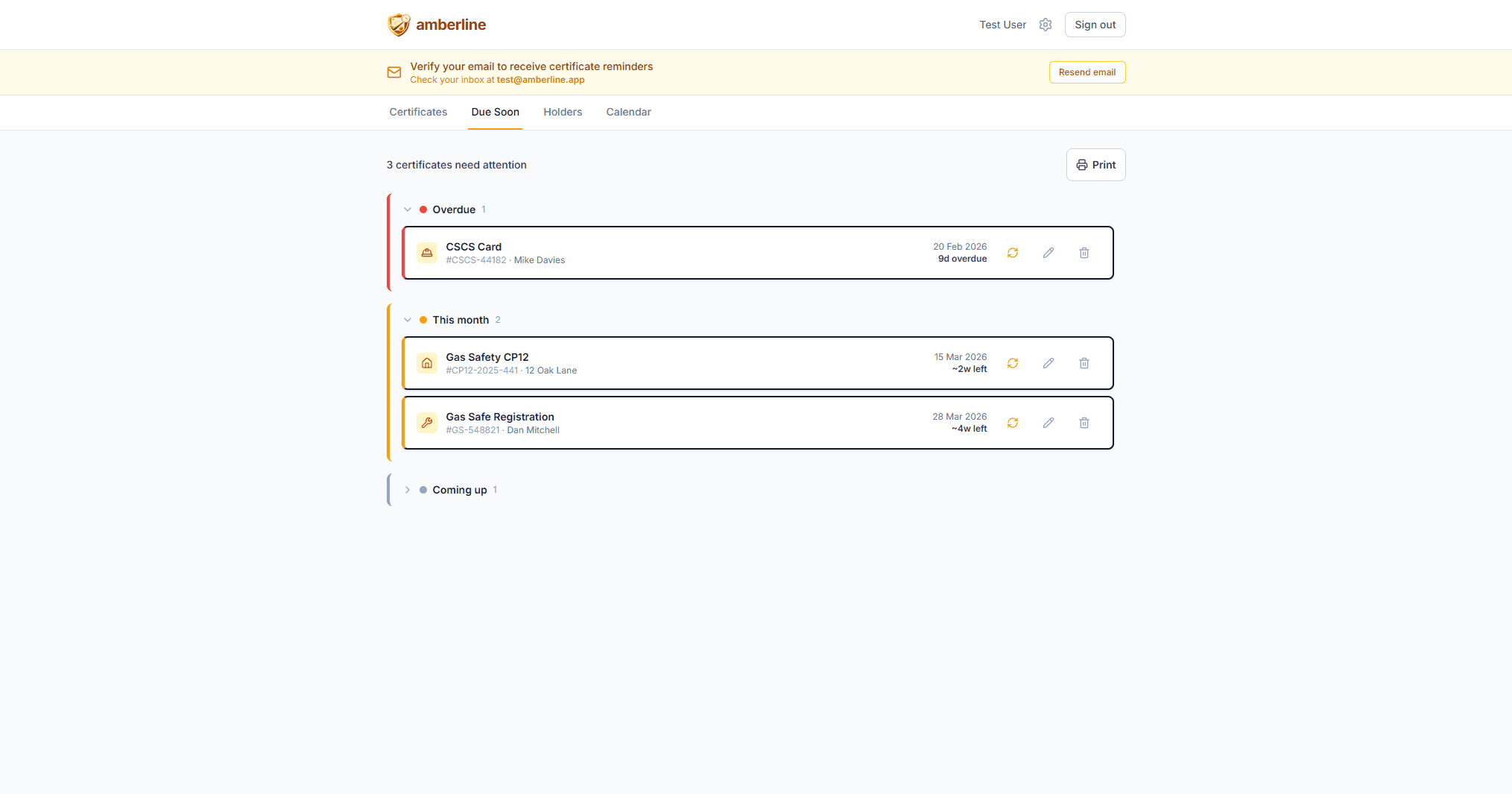
2. Traffic-light status — instant visibility of what's expired, expiring, or valid.
Red, amber, green — at a glance. No scanning rows of dates. Expired certificates jump to the top.
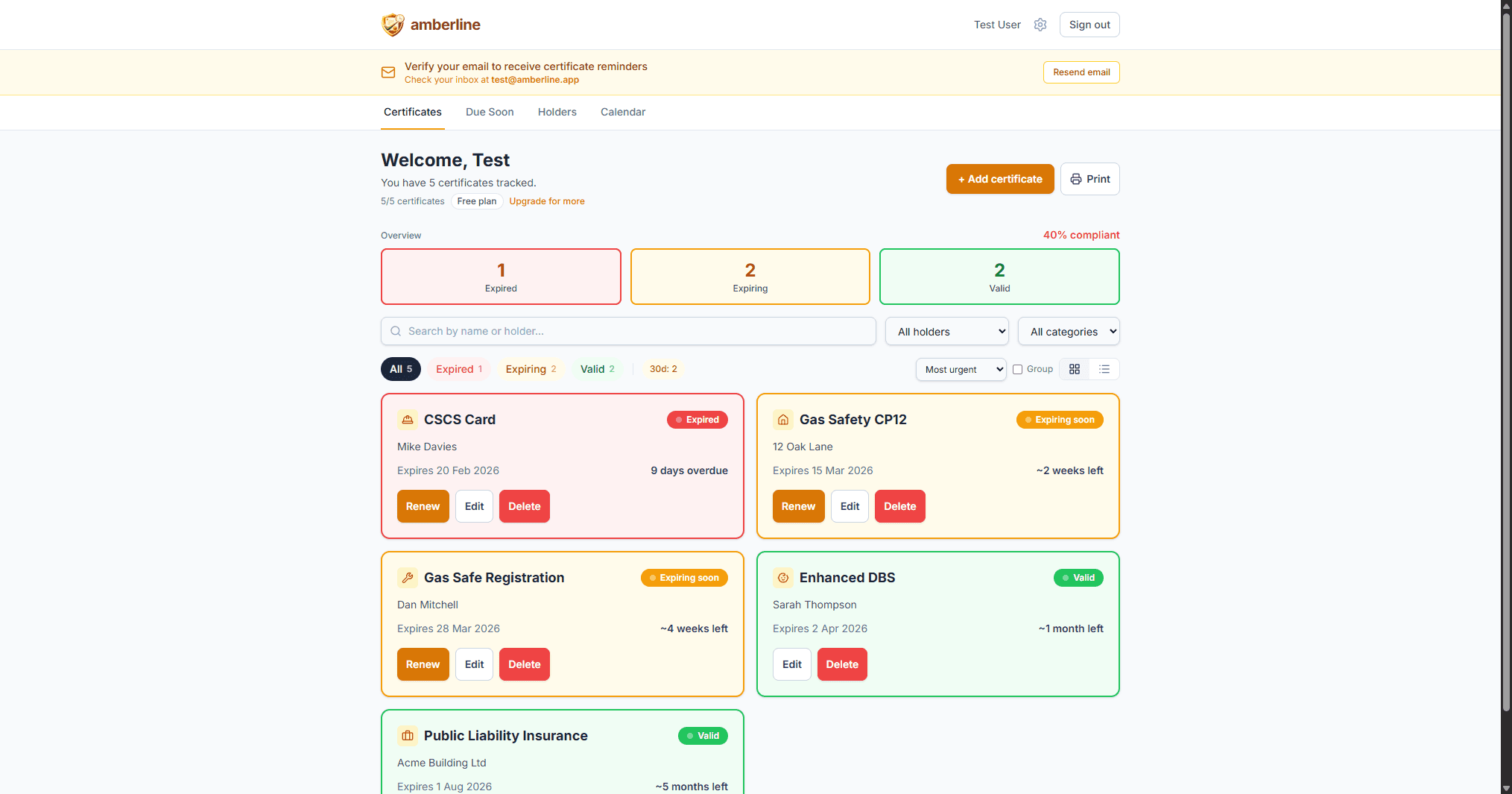
3. A system that comes to you — not one you have to remember to check.
Add certificates in seconds using pre-loaded templates. Set the expiry date, and the reminders handle the rest.
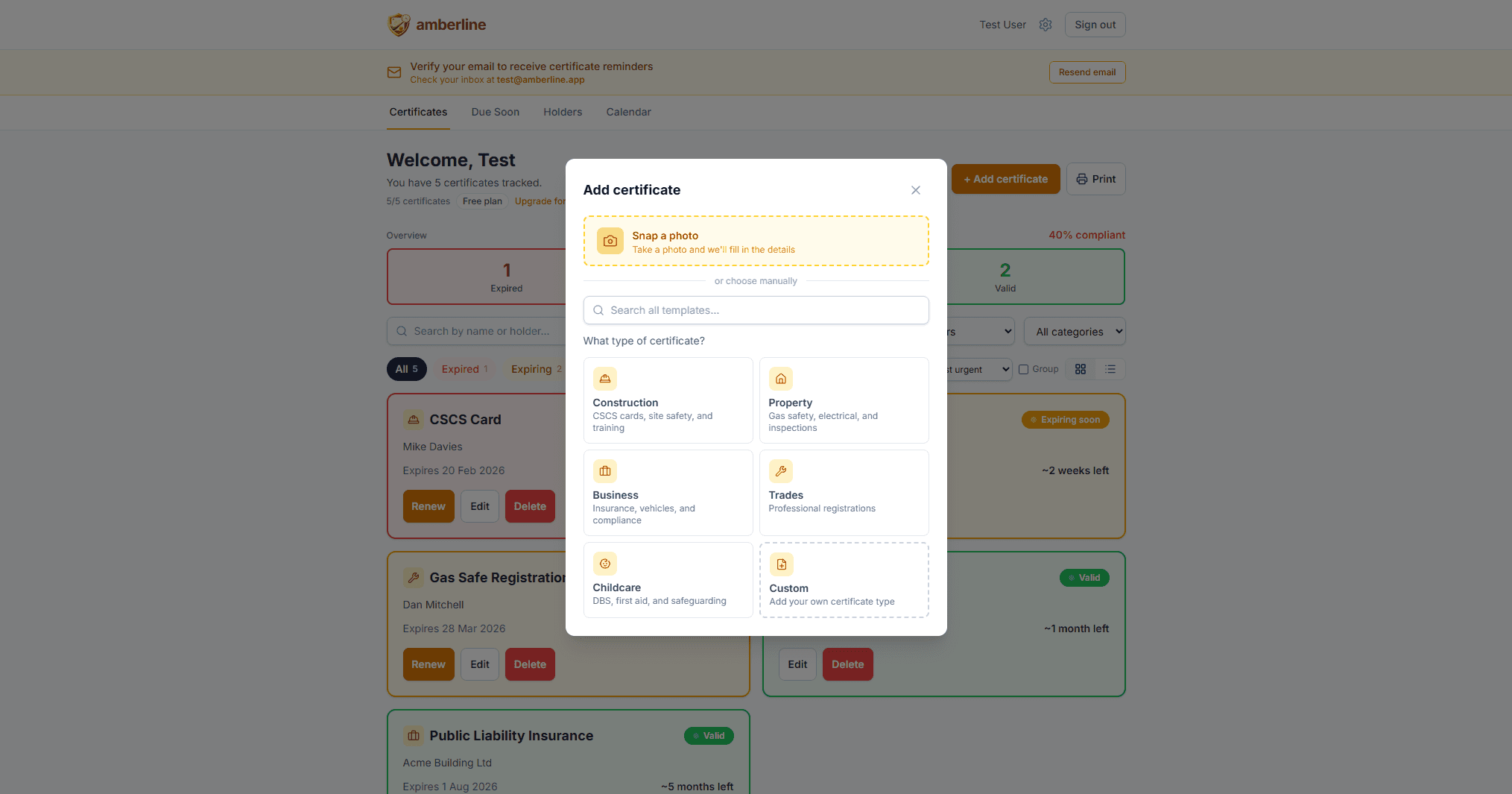
That's exactly what Amberline does. Add your certificates, set the expiry dates, and let the reminders handle the rest.
Ready to stop tracking certificates in spreadsheets?
Start free with up to 3 certificates. No card required.
Get started free